

Mayalok
Formerly Namma Space.
Turn a smartphone walkthrough into a photorealistic, searchable 3D digital twin of an indoor space, with obstacle-aware walking directions in the browser.





Mayalok reconstructs a venue from ordinary phone video into a 3D Gaussian Splat (.spz), derives a walkable occupancy grid from it, and ships a React + Three.js viewer where you can walk around, search for places, and follow a routed path to them.
Live demo: https://mayalok.vercel.app
Contents
Features · Screenshots · Architecture · Quick start · Docker · Deploy on Vercel · Scenes · Repository layout · Testing · Roadmap · Team · Credits and licences
Features
- Smartphone-only capture. No LiDAR or CAD. Metric scale comes from the phone-height SOP or printed ArUco markers.
- Photorealistic splats. Rendered with Spark.js on Three.js.
- Spatial indexing and POI tagging. Places (rooms, items, amenities) are stored as 3D tags with optional floor-plan zone polygons. Admin mode (
?admin) adds, edits and draws them, with JSON import/export. - Pathfinding. A* over the occupancy grid in a Web Worker, with path smoothing, turn-by-turn instructions and automatic re-routing when you leave the route.
- Search UI. Fuzzy search (Fuse.js) over POIs; picking a result shows its card, a route, and an optional autopilot walk to the destination. Deep link with
?to=<poi id or name>. - Minimap and scene switcher. Top-down map with player, POIs and route; switch scenes from the top bar or with
?scene=<id>.
Screenshots
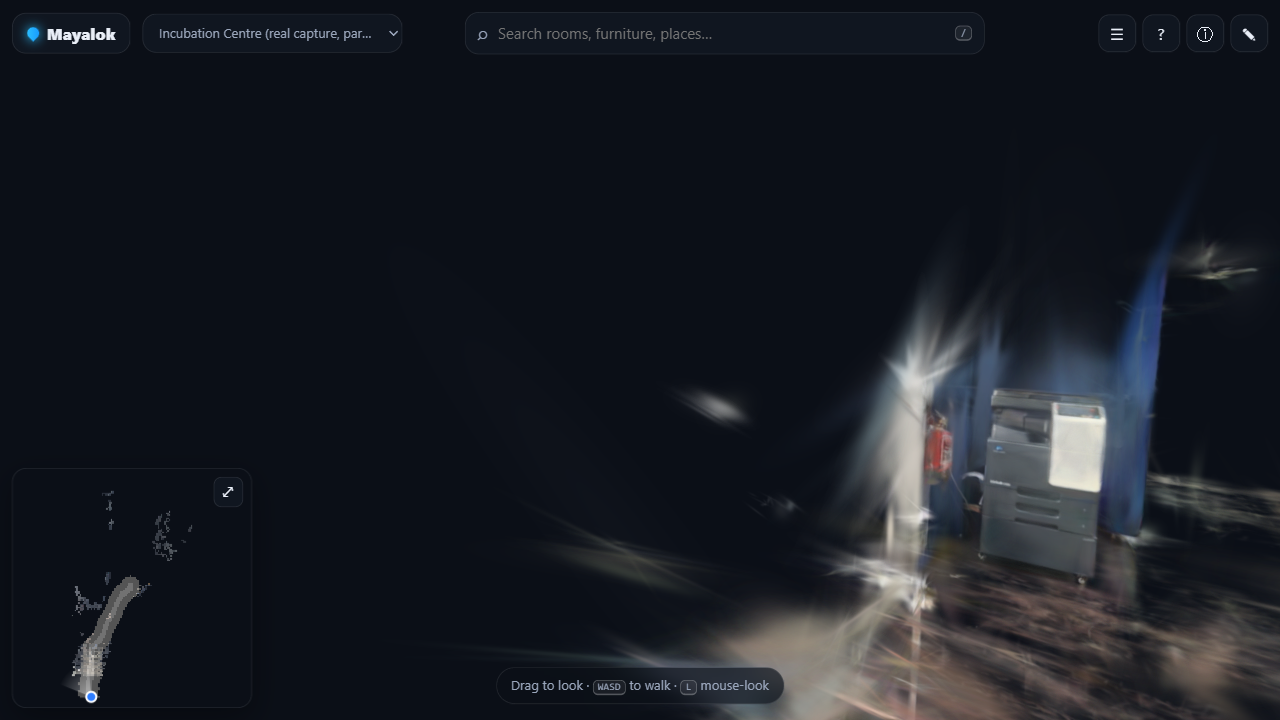 Real capture. The incubation centre scene, reconstructed from phone video. |
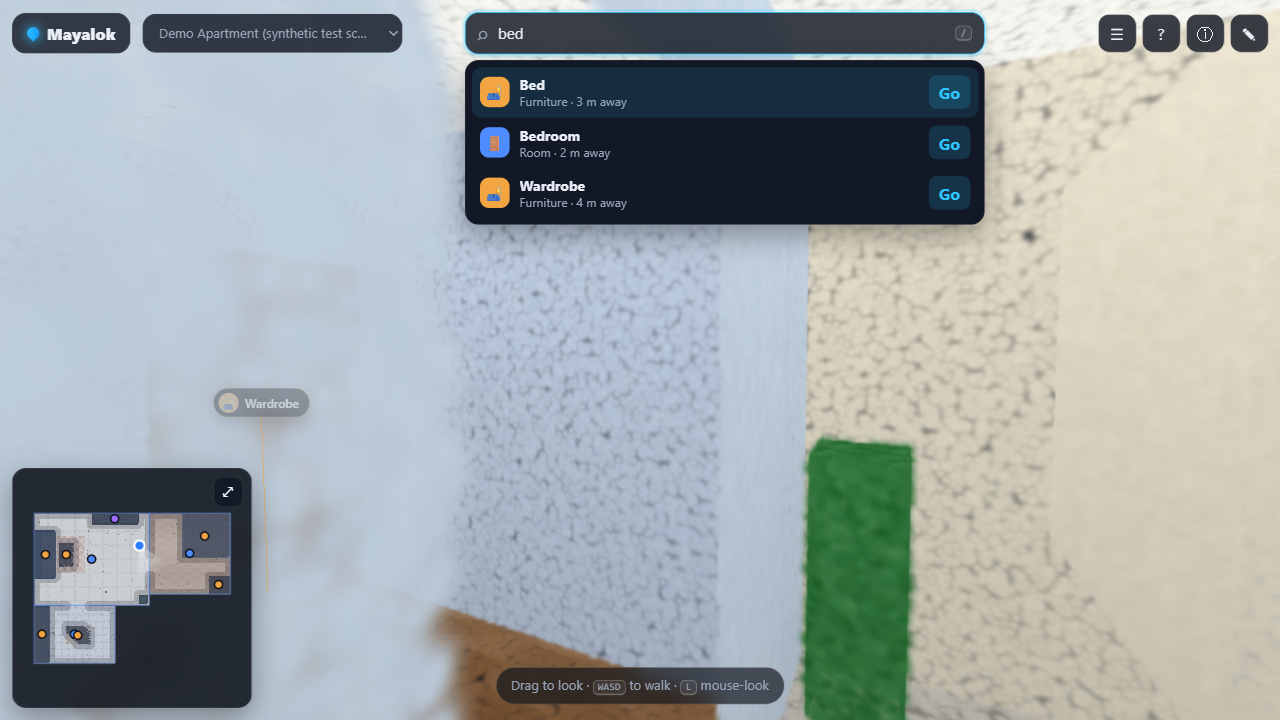 Search. Fuzzy search over tagged places. |
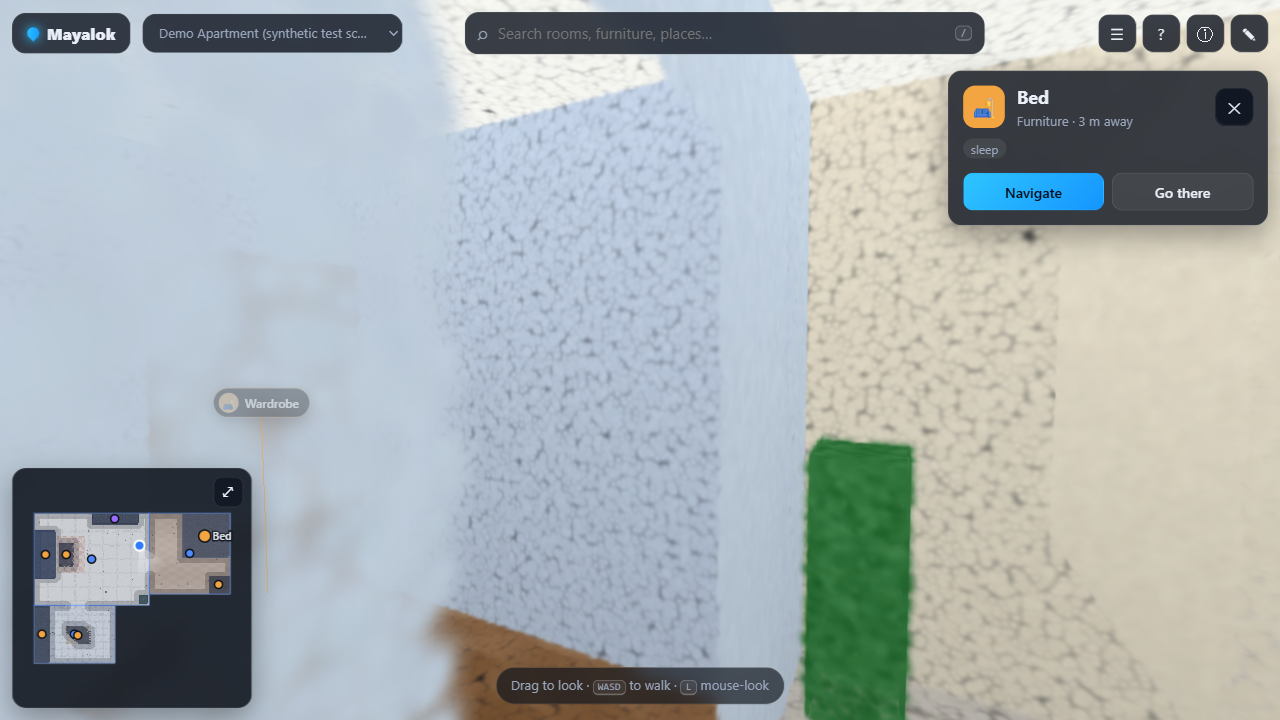 POI card. Click a place to see its details, then Navigate or jump there. |
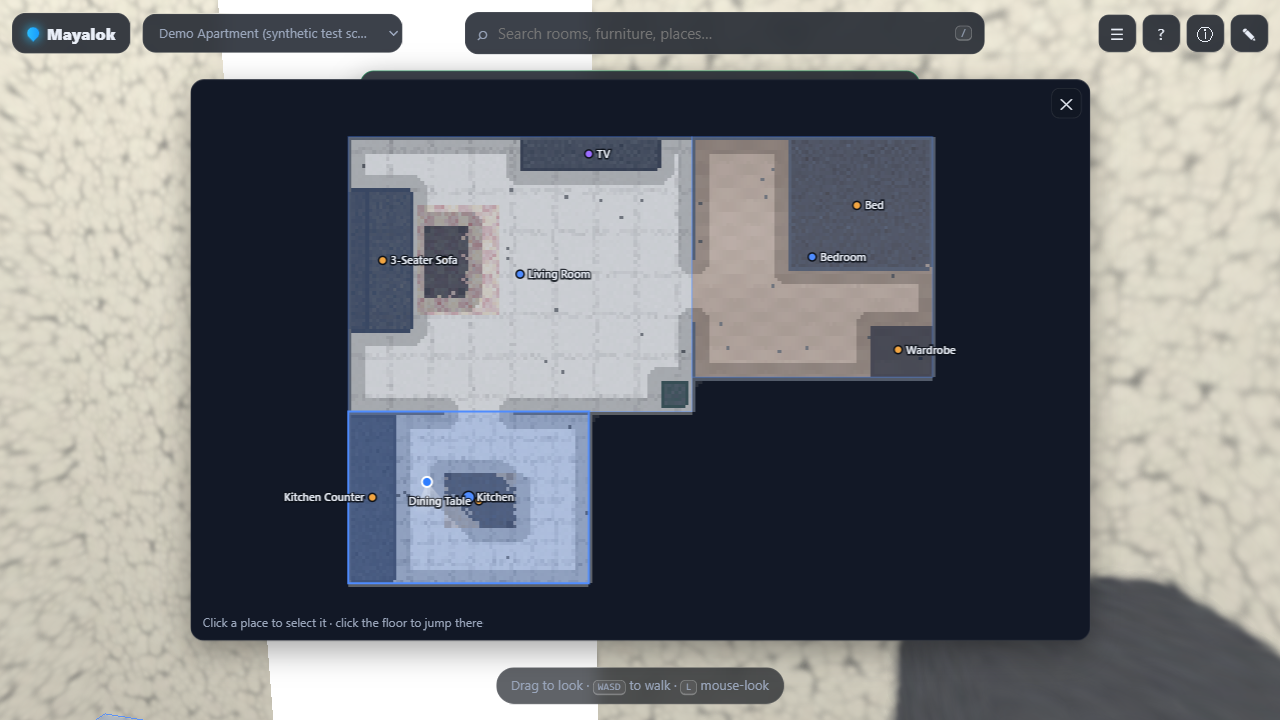 Floor map. Full top-down map with rooms, zones and tagged POIs. |
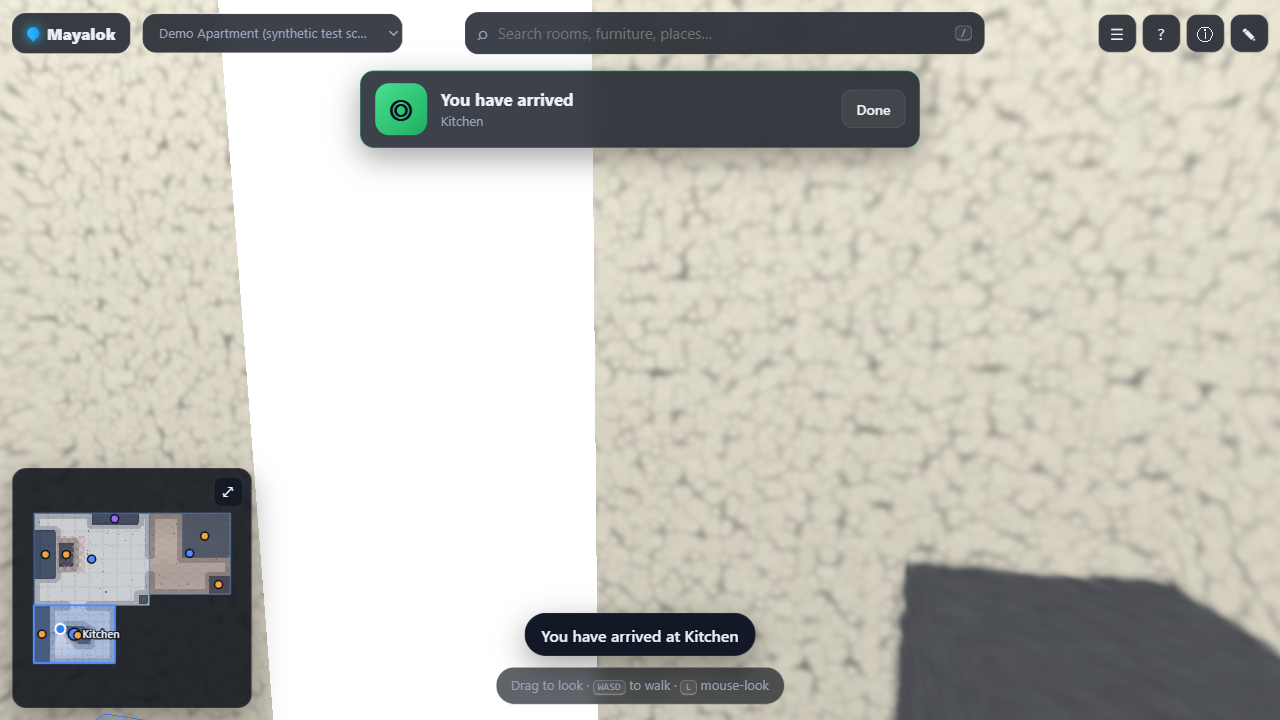 Autopilot. Hands-free walk along the route. |
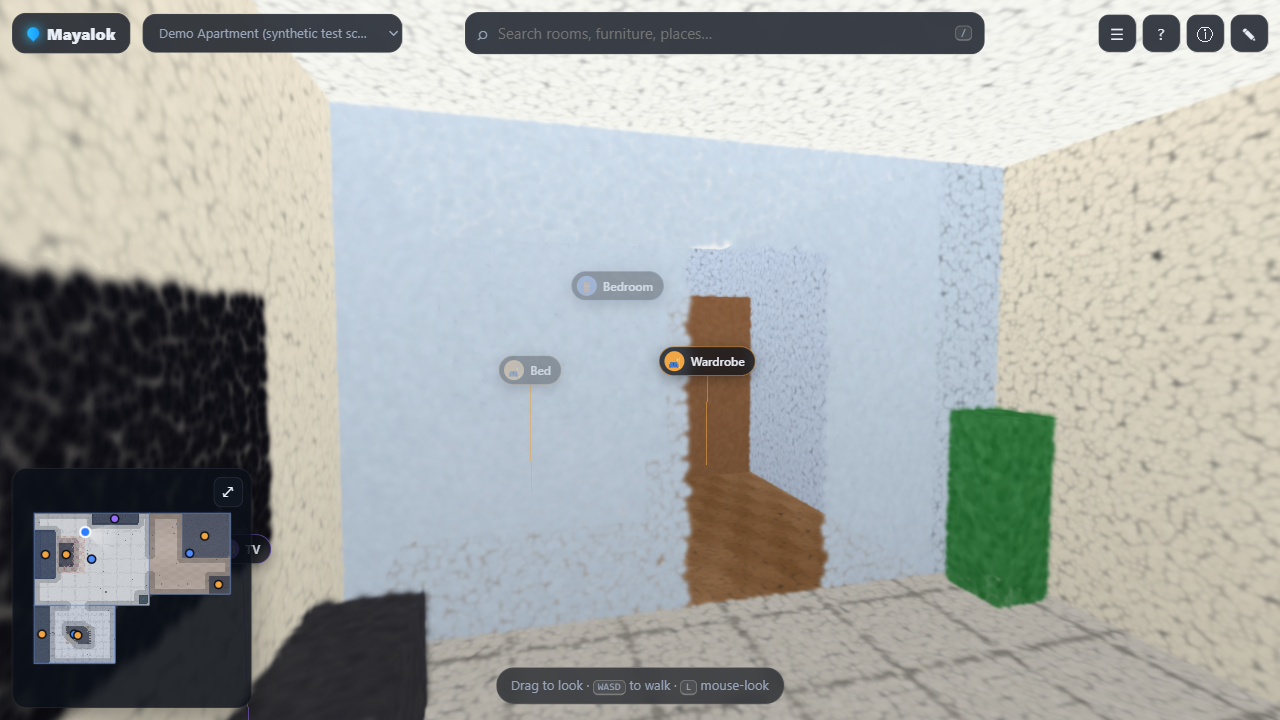 Demo apartment. Procedural three-room test scene. |
Architecture
The pipeline runs offline in Python (resumable per stage). The viewer is a fully static site, with route search running in a Web Worker so the render loop never stalls.
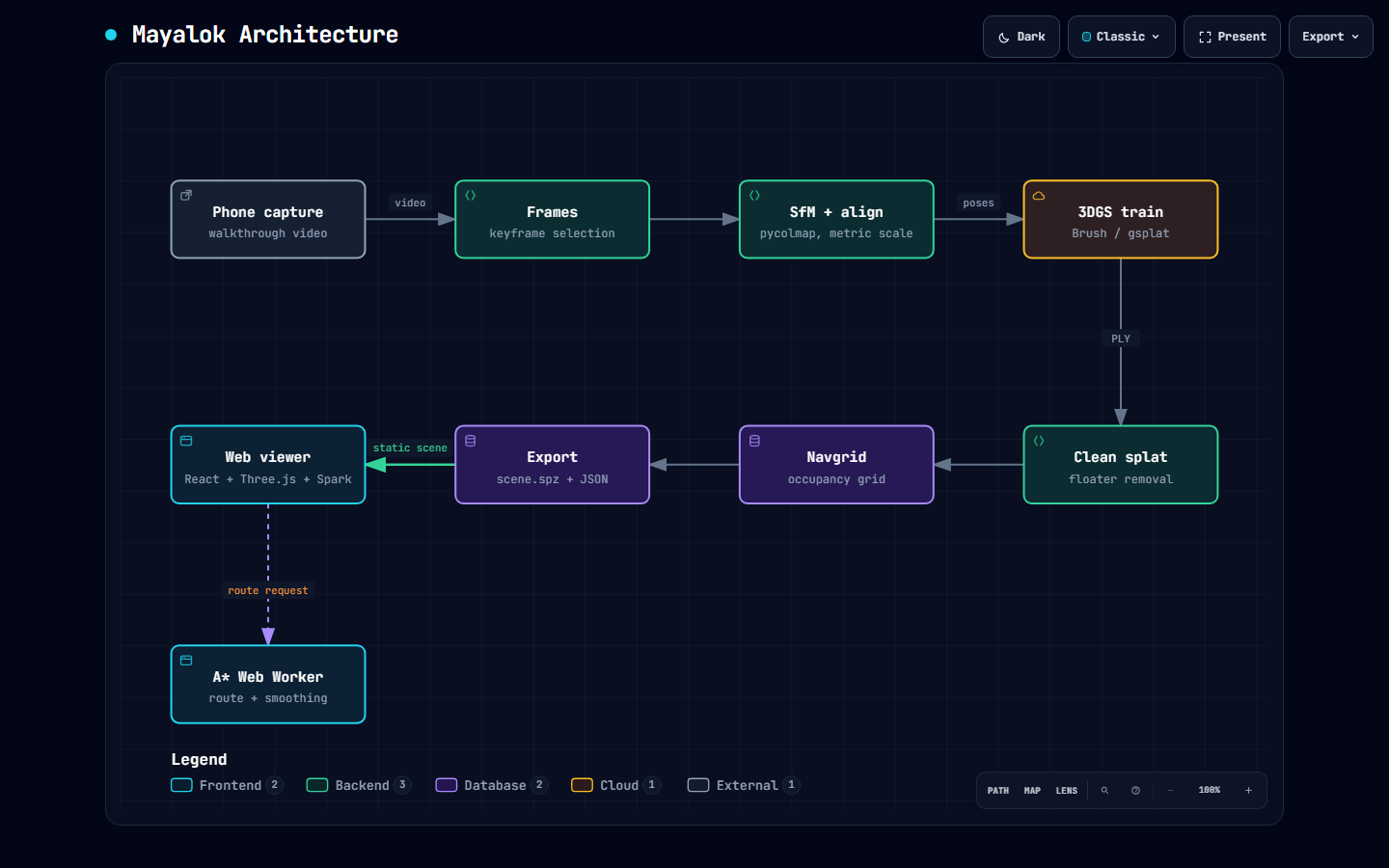
Interactive version: docs/architecture.html (download and open in a browser; generated with Archify).
Pipeline
flowchart LR
    A[Phone capture] --> B[Frames]
    B --> C["SfM (pycolmap)"]
    C --> D[Align metric scale]
    D --> E["3DGS train (Brush / gsplat)"]
    E --> F[Clean]
    F --> G[Navgrid]
    G --> H["Export .spz + scene JSON"]
    H --> I["Web viewer (React + Three.js)"]
Search to autopilot
sequenceDiagram
    actor U as User
    participant S as Search UI (Fuse.js)
    participant R as Router
    participant W as Path Worker (A*)
    participant P as Path layer
    participant A as Autopilot
    U->>S: type a place name
    S-->>U: ranked POI results
    U->>S: pick a result
    S->>R: route(player, POI)
    R->>W: postMessage(navgrid, start, goal)
    W-->>R: smoothed path + turns
    R->>P: render route
    U->>A: press F
    A->>P: follow path, re-route if off course
Diagrams
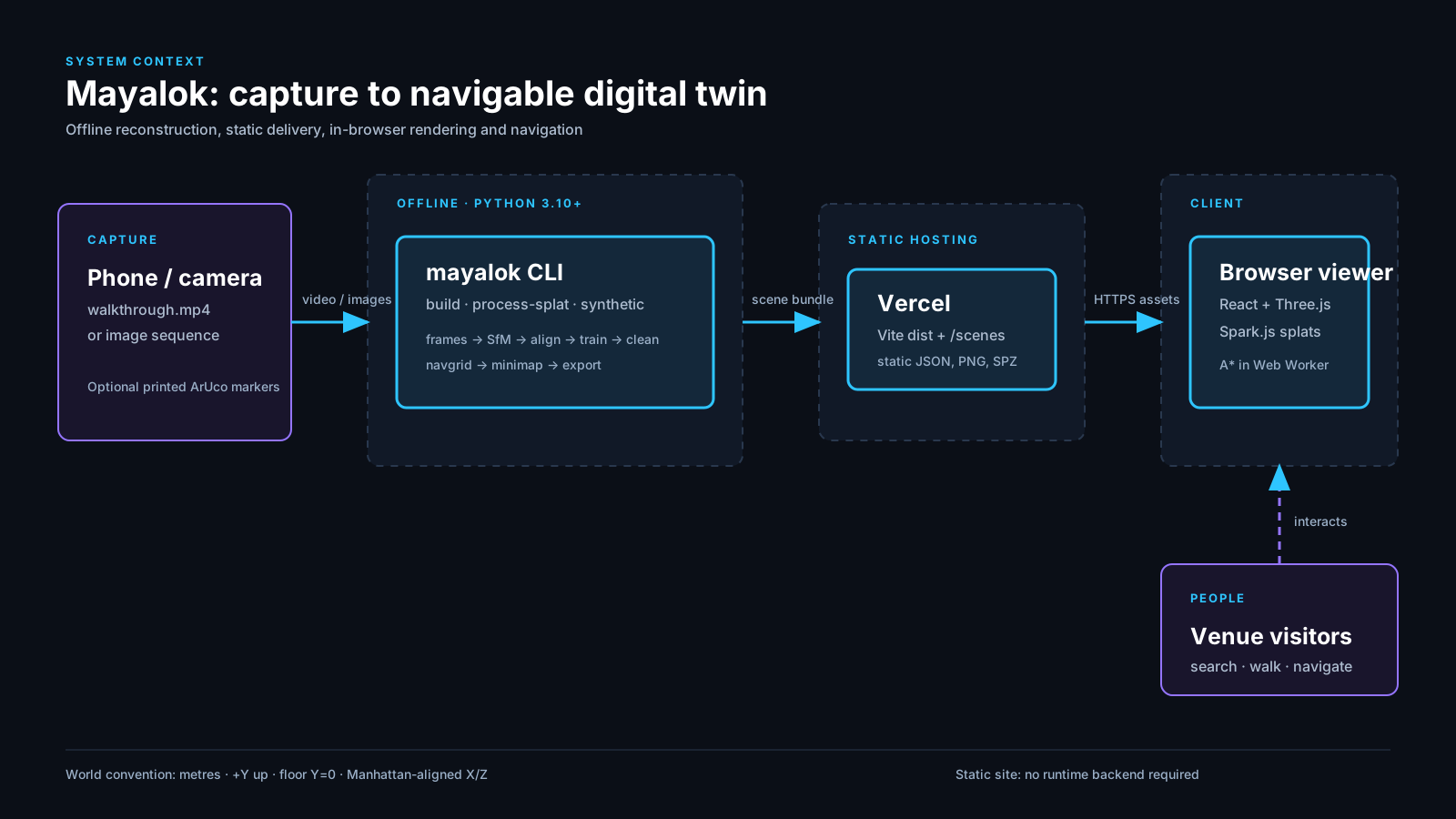 System context |
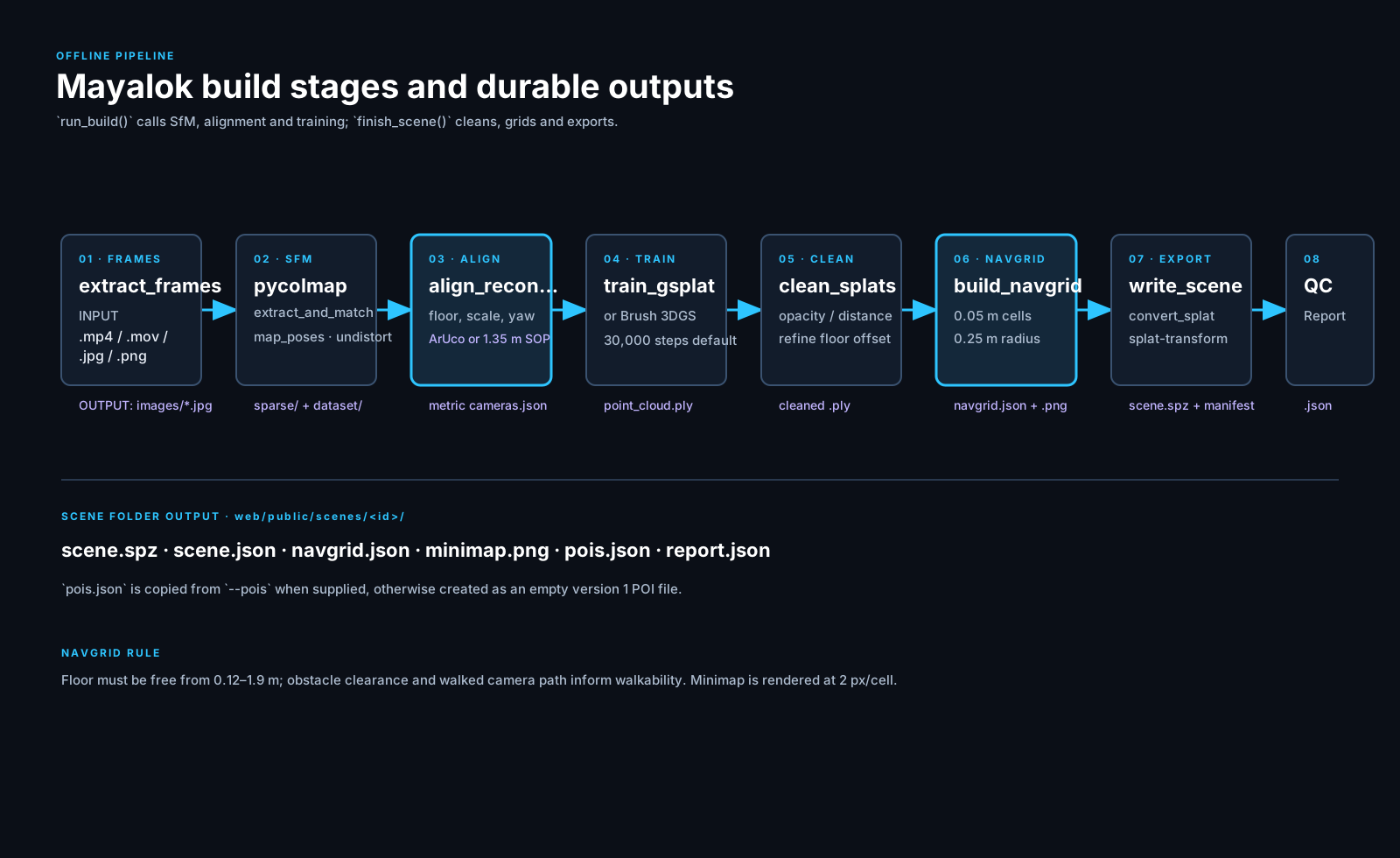 Pipeline stages |
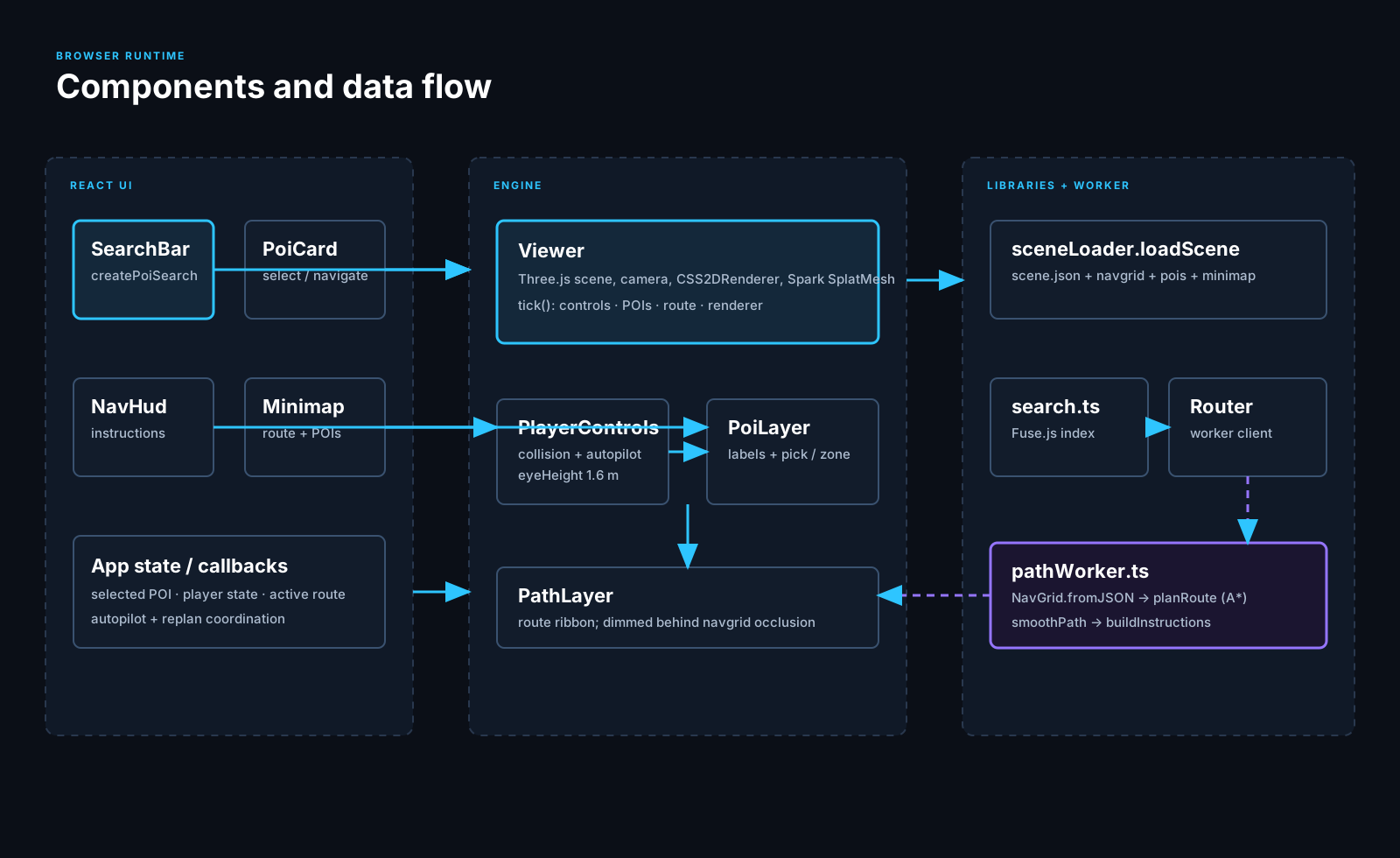 Runtime components |
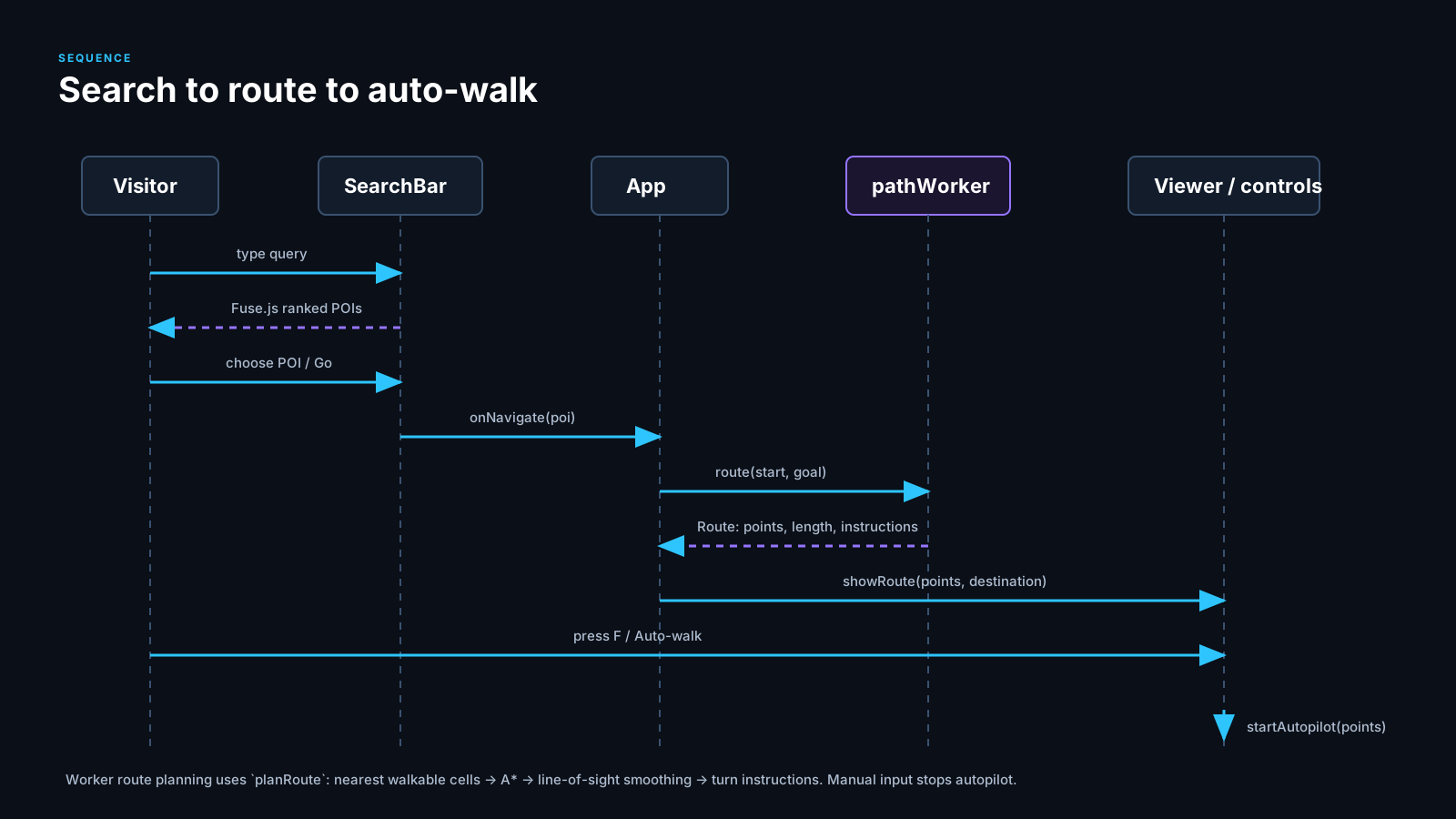 Search to route to auto-walk |
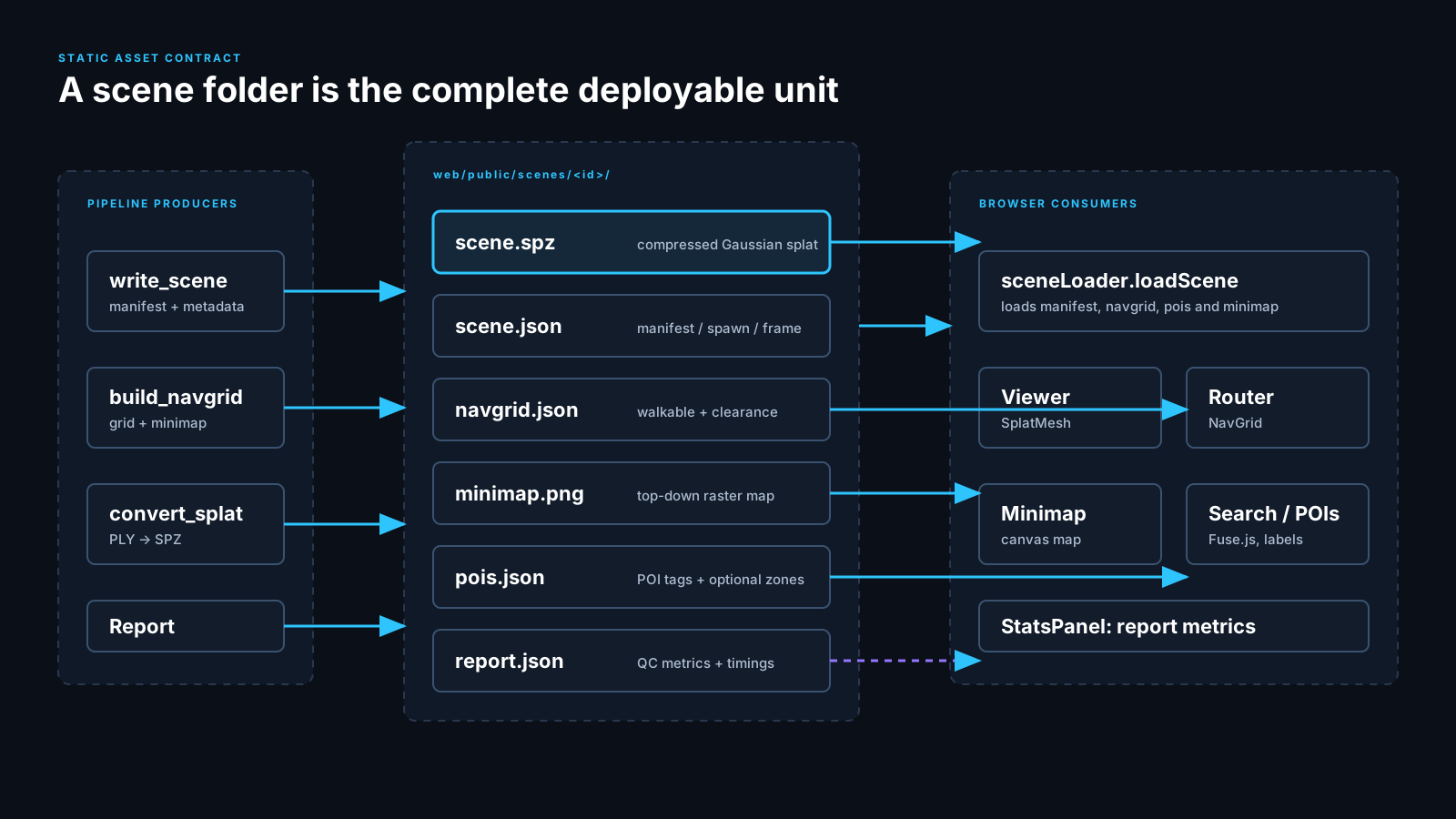 Scene bundle contract |
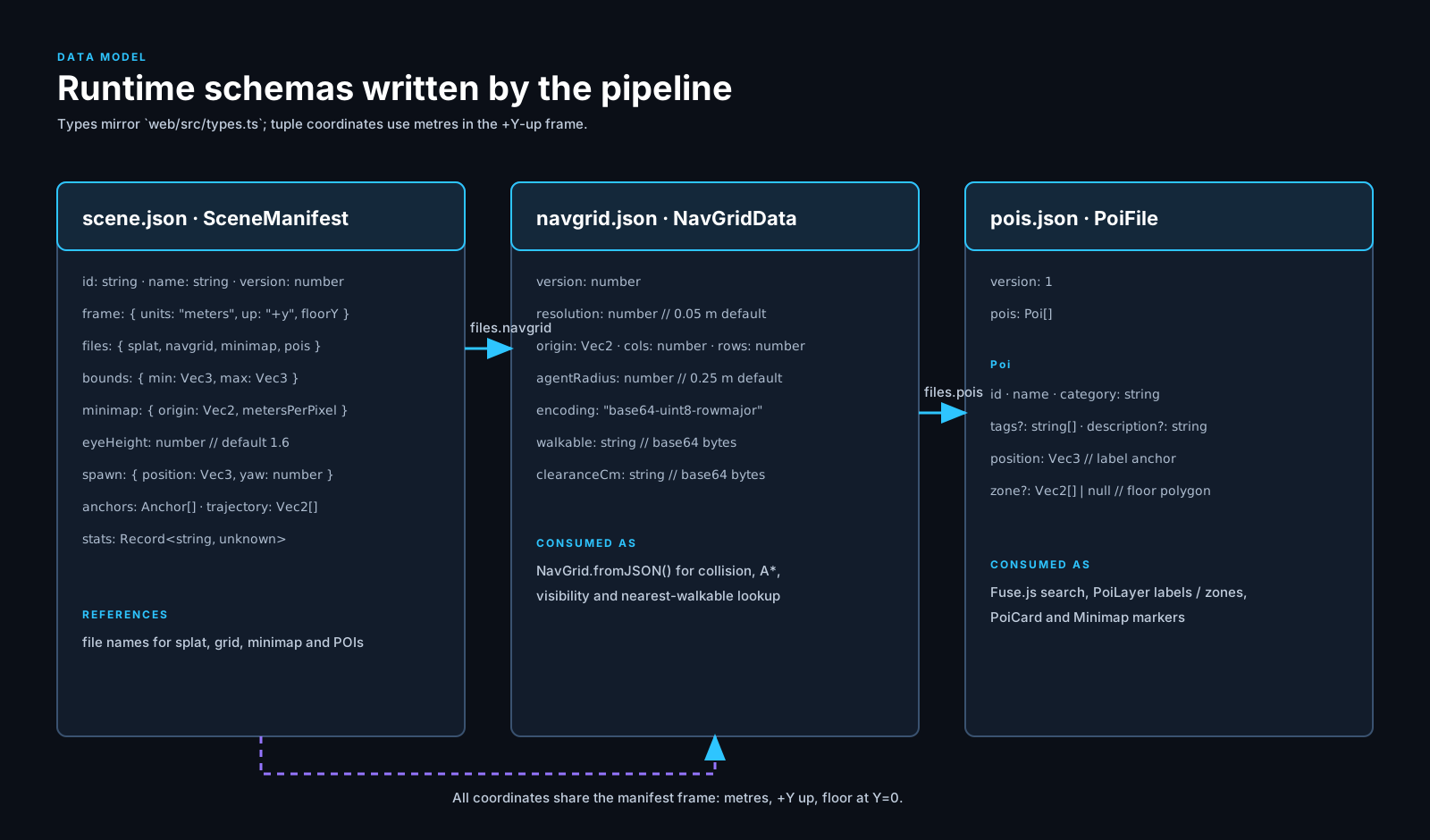 Data model |
Quick start
Web viewer
Requires Node 20+.
cd web
npm install
npm run dev        # http://localhost:5173
Controls: WASD walk, drag or L to look, N noclip, G route to selected place, F toggle autopilot, X stop, M expand map, P all places, H help. Add ?admin to edit places and ?stats for an FPS panel.
Pipeline (Python)
Requires Python 3.10+ and uv.
Windows (PowerShell):
cd pipeline
uv venv
.venv\Scripts\activate
uv pip install -e ".[test]"        # add ".[sfm]" for pycolmap
Linux / macOS:
cd pipeline
uv venv
source .venv/bin/activate
uv pip install -e ".[test]"        # add ".[sfm]" for pycolmap
Build a scene from video, or from an existing trained splat:
namma build --input walkthrough.mp4 --work ../work/venue --gsplat-dir /path/to/gsplat \
  --out ../web/public/scenes/my-venue --name "My Venue"

namma process-splat --splat point_cloud.ply --cameras cameras.json \
  --out ../web/public/scenes/my-venue --name "My Venue"

namma synthetic --out ../web/public/scenes/demo-apartment   # procedural test scene
PLY to .spz conversion uses splat-transform via npx (no global install):
npx -y @playcanvas/splat-transform input.ply scene.spz
Then register the scene in web/public/scenes/index.json.
Install as a package
The reconstruction pipeline ships as the mayalok Python package (CLI: mayalok).
pip install "mayalok[sfm]"        # once published to PyPI
# or straight from GitHub today:
pip install "git+https://github.com/The-Harsh-Vardhan/mayalok.git#subdirectory=pipeline"

mayalok process-splat --splat point_cloud.ply --cameras cameras.json --out web/public/scenes/my-venue --name "My Venue"
Docs site: https://the-harsh-vardhan.github.io/mayalok/
Docker
Serve the production build with nginx (.spz is served as application/octet-stream):
docker compose up --build # http://localhost:8080
Or without compose:
docker build -t mayalok-web ./web
docker run --rm -p 8080:80 mayalok-web
The image is multi-stage: node:22-alpine builds web/ and nginx:alpine serves dist.
Deploy on Vercel
Import the repo, then set Root Directory = web and Framework Preset = Vite. Build command npm run build, output directory dist (the defaults). Assets use relative paths (base: "./"), so no further config is needed.
Scenes
| Scene | Description |
|---|---|
incubation |
Real smartphone capture of an incubation centre (24 Oct 2026), pycolmap SfM + Brush 3DGS. Partial: 65 of 293 keyframes registered. |
demo-apartment |
Procedurally generated three-room apartment for development and tests. |
Each scene folder in web/public/scenes/<id>/ holds scene.json, scene.spz, navgrid.json, minimap.png, pois.json and report.json.
Repository layout
pipeline/namma/    Python pipeline: frames, sfm, align, train, clean, navgrid, export, cli
pipeline/tests/    pytest suite
web/src/engine/    Viewer, player controls, POI and path layers
web/src/lib/       A*, router + path worker, geometry, scene loader, search
web/src/ui/        Search bar, POI card, nav HUD, minimap, admin tools
web/public/scenes/ Packaged scenes and index.json
web/Dockerfile     Multi-stage build (node -> nginx)
docker-compose.yml One-command local serve on :8080
docs/              SOP, technical abstract, briefs, architecture diagram, screenshots
Testing
cd web && npm test && npm run build      # vitest (A*, turns, geometry) + typecheck + build
cd pipeline && pytest -m "not slow"
Roadmap
- AR navigation. Localise a phone camera against the splat and overlay the route on the live camera feed, so the same twin guides you on site.
Team
Team QWERTY
- Ajay Yadav (team leader)
- Hitesh Bhatiwal
- Harsh Vardhan
Credits and licences
Code is MIT licensed (see LICENSE). Built on Spark.js (MIT), Three.js (MIT), React (MIT), Fuse.js (Apache-2.0), COLMAP/pycolmap (BSD), Brush and gsplat (Apache-2.0), and splat-transform (MIT).